> For the complete documentation index, see [llms.txt](https://nxp.gitbook.io/navqplus/llms.txt). Markdown versions of documentation pages are available by appending `.md` to page URLs; this page is available as [Markdown](https://nxp.gitbook.io/navqplus/hardware/hardware-interfaces/can-bus.md).
# CAN Bus
Using the CAN bus
## Bringing up the CAN buses on NavQPlus
### CAN 2.0
```
sudo ip link set can0 up type can bitrate 125000
sudo ipl ink set can1 up type can bitrate 125000
```
### CAN-FD
```
sudo ip link set can0 up type can bitrate 500000 dbitrate 2000000 fd on
sudo ip link set can1 up type can bitrate 500000 dbitrate 2000000 fd on
```
There is an LED next to each CAN bus PHY on the board that will light up after running one of these commands.
These interfaces support the Linux SocketCAN library. \
Here is a good link showing some simple SocketCAN example code:
## CAN Bus Locator
There are four CAN-FD connectors, they are connected "pass-through" style so that the bus may continue on, or a termination resistor network be plugged in.
* J21 and J22 are connected to CAN1 hardware signals / CAN0 logically in Software
* J19 and J20 are connected to CAN2 hardware signals / CAN1 logically in software
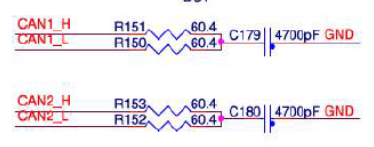
## CAN Bus Schematic
J21 and J22 connectors
J19 and J20 connectors
CAN bus schematics
### CAN BUS LEDs
These LEDS are connected to the enable signal going to the CAN PHY
CAN bus Enable LEDs
## CAN BUS SIC PHYs
NavQPlus uses TJA1463 CAN SIC PHYs. These are compatible and drop-in replacement for traditional CAN-FD PHYs.
The TJA1463 CAN signal improvement capability (SIC) transceiver with sleep mode is part of the TJA146x transceiver family that implements CAN SIC as defined in CiA 601-4. By meeting the CAN physical layer as defined in ISO11898-2:2016 and SAE J2284-(1-5), the TJA1463 is fully interoperable with high-speed classical CAN and CAN FD.
CAN signal improvement significantly reduces signal ringing on a network, allowing reliable CAN FD communication to function at 5 Mbit/s in larger topologies. In addition, the TJA1462 features a much tighter bit timing symmetry performance to enable CAN FD communication up to 8 Mbit/s.
The TJA1463 is backwards compatible and a drop-in replacement for classical CAN and CAN FD transceivers, such as NXPs TJA1043 and TJA1443
### Potential improvements
Because of their improved reliability handling of bus signals, it may be possible to implement:
* Higher bus speeds (Note however that 512kBaud negotiation speed remains the DroneCode standard and is also most common in automotive applications)
* Unterminated/poorly terminated stubs
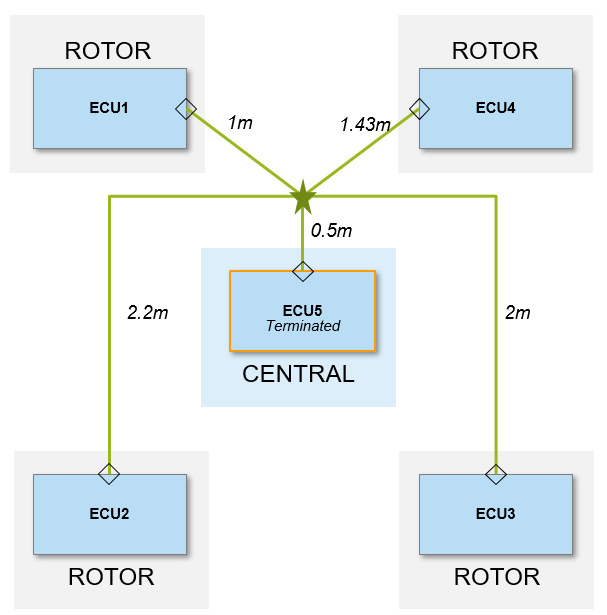
* Central termination of the CAN bus
Example of a centrally terminated CAN SIC bus
## CAN Termination
The preferred split termination method from Automotive applications is applied on board the NavQPlus. These parts may need to be removed if you wish to terminate your CAN bus at a different node. Note that as mentioned above, it may be reasonable to use the NavQPlus as a central termination point in a CAN-SIC network.
## Additional CAN boards
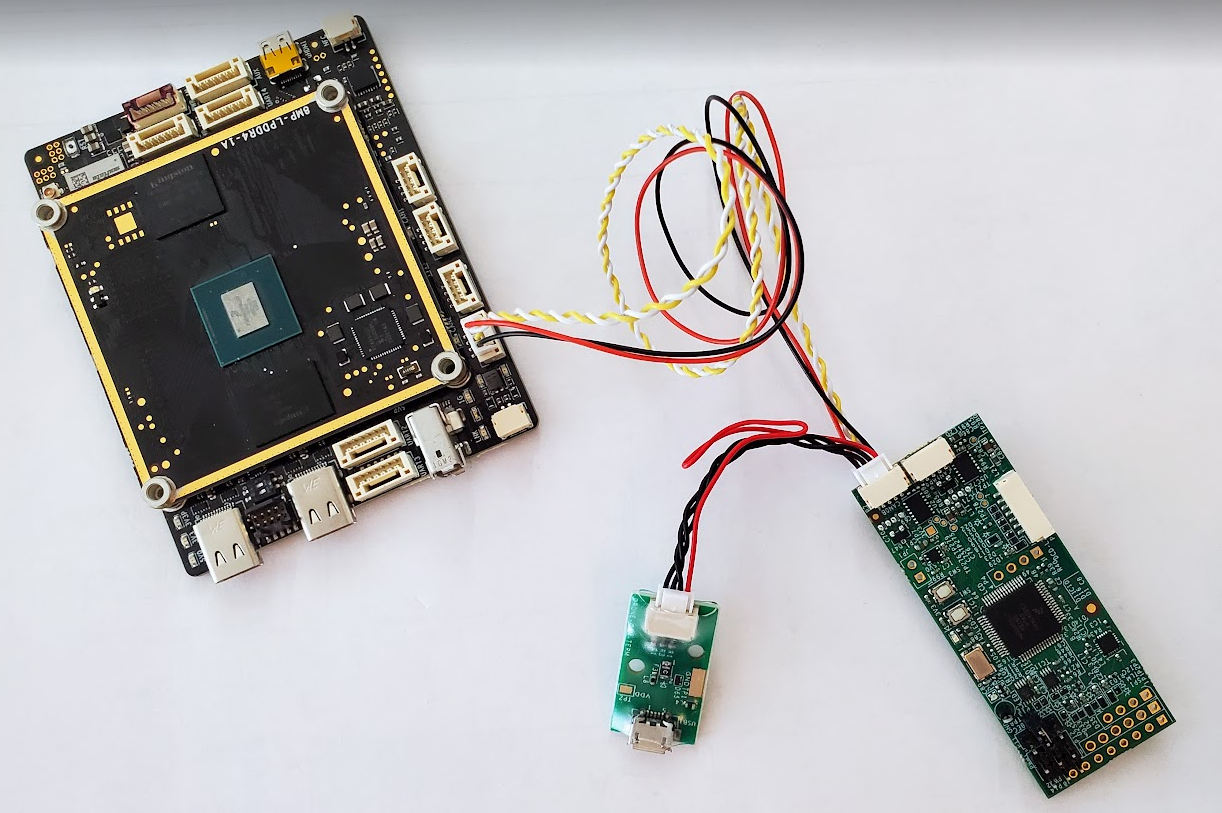
Shown below is an example of the NavQPlus attached to a [UCANS32K1SIC ](https://nxp.com/UCANS32K1SIC)"CAN Node" board. A small termination network board is included with the UCANS32K1SIC.\
The CAN Node board can used for generic CAN-SIC (CAN-FD) node development for sensors and actuators. Essentially it is an S32K1 automotive MCU with the UART/SPI/I2C/PWM pinned out for general purpose use.
\